Cafés, hotels and spas
Keep every space at the right level, switch the atmosphere instantly and make announcements without disturbing the whole venue.
ORVESTRA turns a computer and audio interface into a professional multizone system. Route applications, live inputs and announcements—then shape the sound with presets built for people who need results, not an engineering degree. Neural TTS, private Playlist Manager and RMS Protection are built into the same signal path.
Built for real spaces
ORVESTRA makes a powerful signal path understandable enough for daily operation while keeping the precision needed for commissioning and live production.
Keep every space at the right level, switch the atmosphere instantly and make announcements without disturbing the whole venue.
Route lessons, presentations, microphones and playback exactly where they are needed—from one clear control surface.
Bring professional routing and processing to a one-off production without buying a permanent licence or building a complex control rig.
Run independent sources in lounges, patios, studios, halls or outdoor areas while keeping one verified DSP path.
The ORVESTRA workflow
Daily operation, system tuning and repeatable setups live in the same application.

Video re-stream
Capture a browser tab, pair with a one-time PIN and open the receiver on port 81. The integrated relay distributes video with the same ticker overlay used by Remote advertising. Video manager controls resolution, frame rate, bitrate and picture fit.
Operate the whole system
Choose Show on home for the zones you want on your Home screen. Stereo and mono zones have their own volume sliders, while slave outputs retain their relative trim.
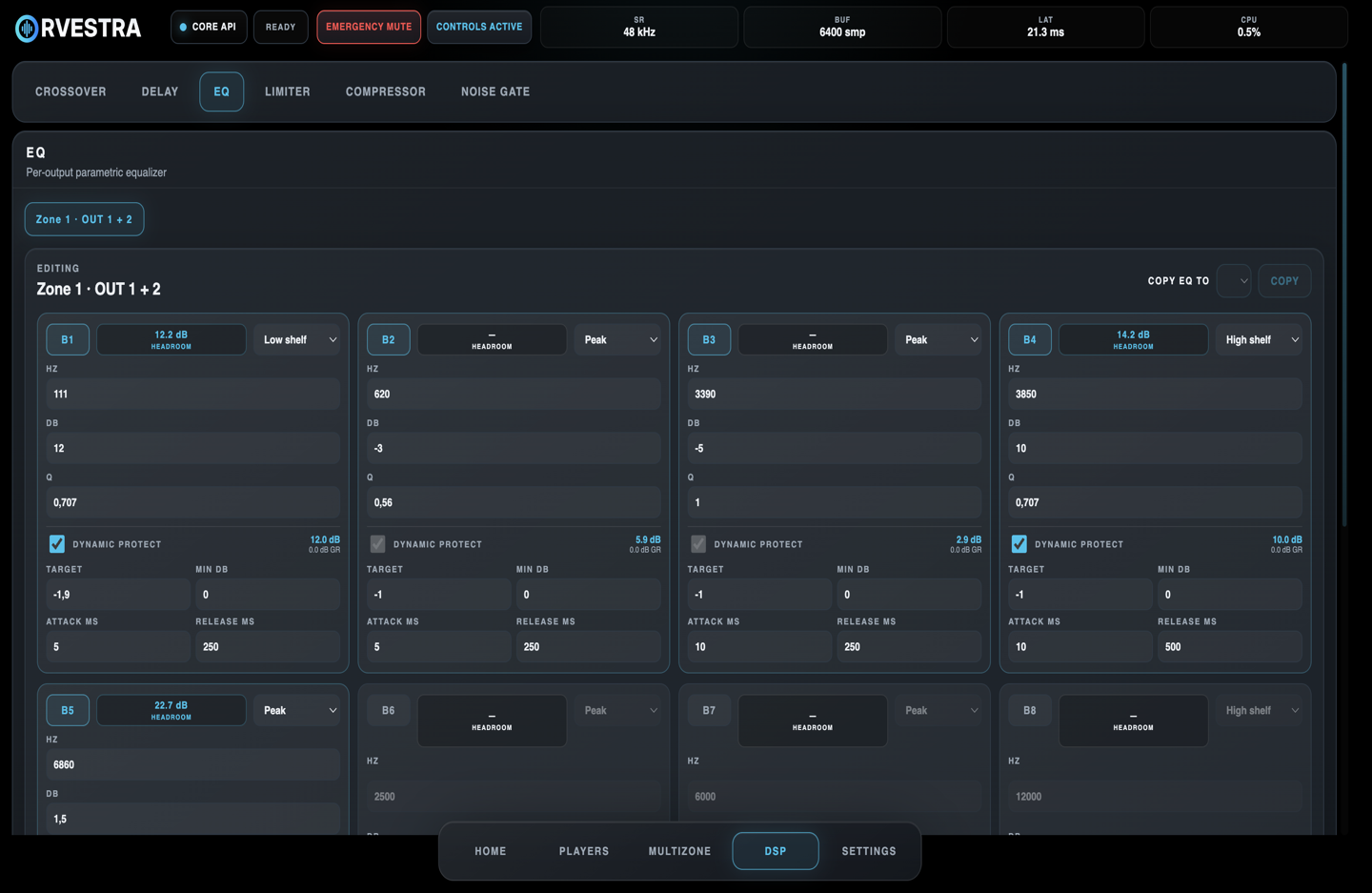
Source AGC adjusts Player, App and Line In levels with configurable RMS targets and gain limits. Loudness adapts bass and treble to the listening level. The input A indicator and linked stereo/mono controls show processing activity live.
Repeatable by design
Presets capture the processing that makes a system sound right. Scenes restore how sources, zones and levels should operate for each moment.
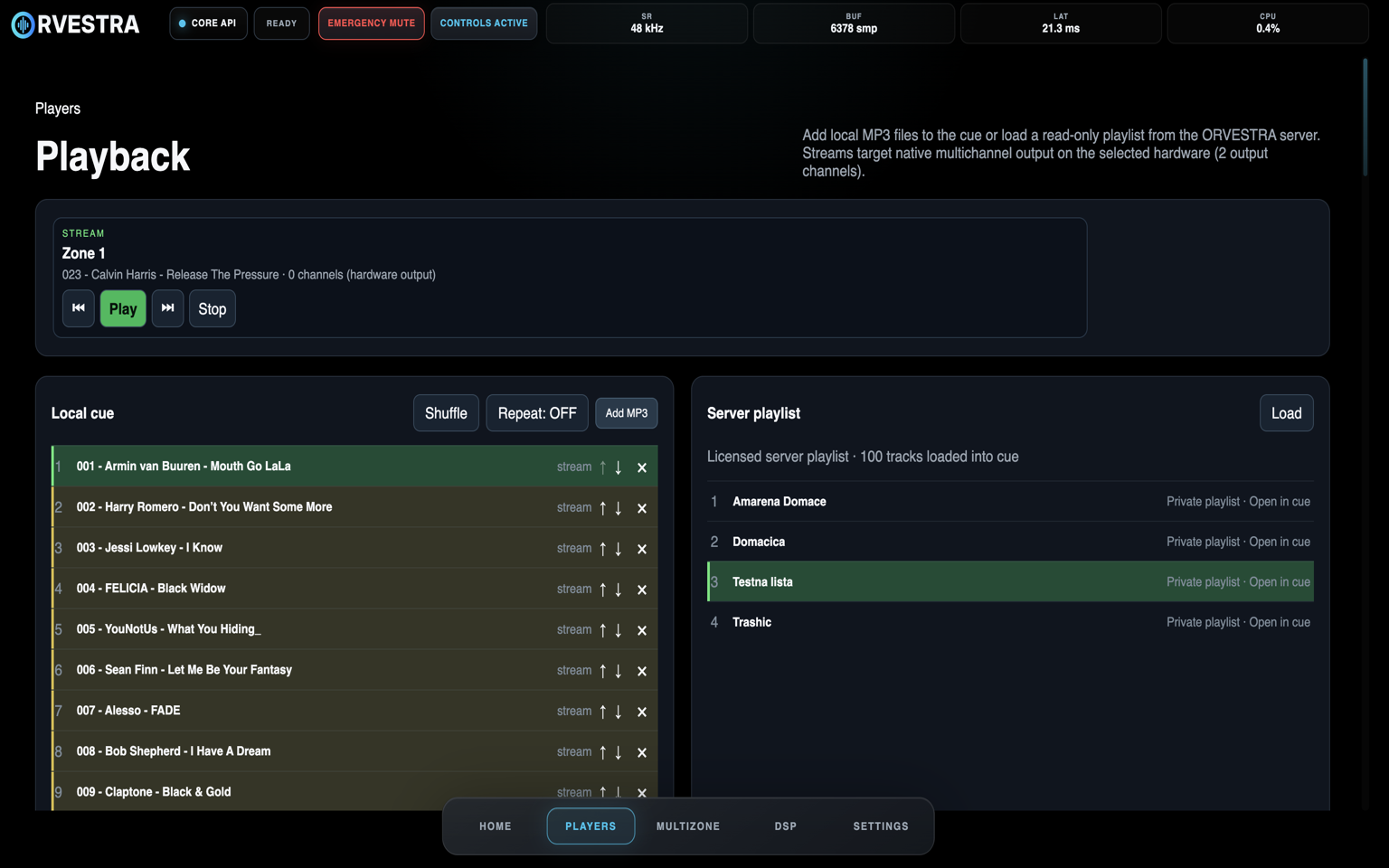
Run one player per available zone, choose local MP3 files or a private server playlist, shuffle the cue and route each player through the same zone, DSP and output path.
Remote advertising
Upload media, build playlists, add a ticker and assign content to licensed displays. The same account manages audio and signage — without a separate CMS on site.
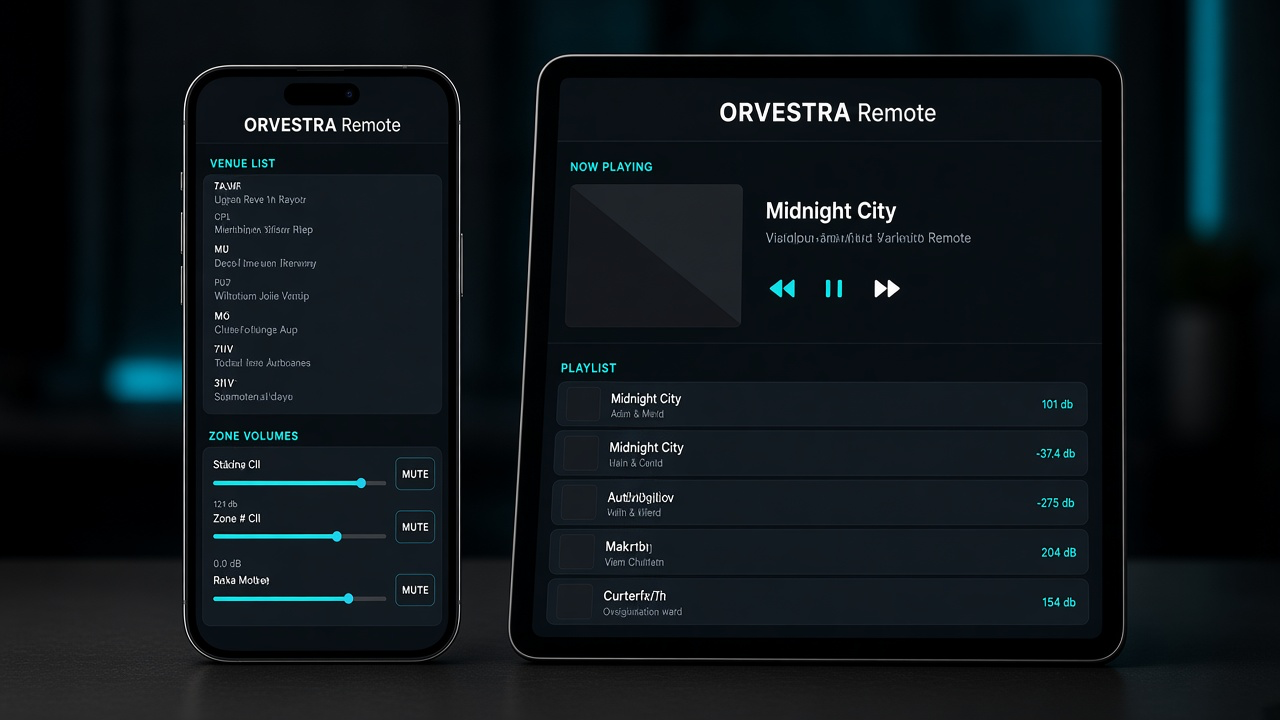
Manage music, volume and zones through the web portal or Orvestra apps for iOS and Android. Scan your system’s QR, approve the phone and keep control close at hand.
How it works and what it can do
ORVESTRA turns the audio path into five understandable steps. Choose what plays, where it goes, how it sounds and how the system protects the loudspeakers.
Apps · live inputs · local players · streaming playlists
Assign App or Player to each stereo or mono zone
Send a zone to one or several physical outputs
Input/output EQ · compression · limiting · crossover · delay
Independent rooms, loudspeakers and multichannel outputs
For daily operation: select a scene, adjust a zone or make an announcement. The complex processing stays out of the way.
For system tuning: open the full DSP controls and commission every output with precise routing, filtering, timing, dynamics and protection.
Features
Every function belongs to the same saved and supervised signal path, from application capture to the physical outputs.
For your guests
A table QR opens Orvestra Juke and chat. Guests choose music from your venue’s selection and communicate through the ticker, while staff keep control of the system.
Choose the playlists that suit your venue in advance. Guests select a song from that collection and request playback, helping shape the atmosphere within the rules you set.
Chat enables internal communication through ticker messages. Guest messages appear on screens in the venue alongside advertising content when the administrator enables this feature.
Guests scan their table QR, browse products with photos and prices, and place an order in the app. Each item can include a personal note, such as coffee with cold milk.
One control surface
Use a dedicated ORVESTRA OS appliance, an installation PC or the Mac already at the venue.
A purpose-built Raspberry Pi 5 appliance image for dedicated installations.
Raspberry Pi 5Native x64 builds for Linux audio systems, with PipeWire application routing and the same ORVESTRA control surface.
Linux x64 · ARM64Four independent application inputs through our own ORVESTRA multichannel virtual audio driver.
Windows x64Four CoreAudio application taps with native-path muting and Apple Silicon support.
Intel & Apple Silicon verifiedLicence options
Prices are before tax. Applicable tax is calculated from the customer's billing location.
€20one-time
The complete system for a concert, performance, DJ set, party or other short production.
€75one-time
A flexible month of ORVESTRA for temporary venues, seasonal operation or evaluation.
€750one-time
Twelve months of professional multizone control in one annual term.
€50per month
24-month commitment, billed monthly, for permanent installations and the best long-term rate.
Taxes are added according to the customer's billing location. Secure payment processing is provided by Stripe. Licence details are delivered to the billing email after confirmed payment.
Installers
Choose the installer that matches your platform. macOS packages are signed and notarized; Linux builds include the native runtime and PipeWire audio support.
For Macs with Apple M1, M2, M3, M4 or newer Apple silicon processors.
Download 1.0.75Release 1.0.75 availableFor Macs with an Intel processor. Choose About This Mac if you are unsure which model you have.
Download 1.0.75Release 1.0.75 availableNative ORVESTRA runtime for Debian-compatible x64 systems, with PipeWire application routing and integrated DSP processing.
Download 1.0.76Release 1.0.76 availableNative runtime for 64-bit Raspberry Pi OS and Debian-compatible ARM64 systems, with PipeWire application routing.
Download 1.0.76Release 1.0.76 availableNative application with a multichannel virtual audio driver for per-application routing.
Download 1.0.75Release 1.0.75 availableBrowse the venue’s offer, send orders, use the jukebox and chat, and control your paired Orvestra Core.
1.0.70 · build 75ORVESTRA OS for Raspberry Pi 5Multi-zone audio and venue control on Raspberry Pi 5.
Support
User guides for the main GUI and Users portal, with real screenshots and numbered explanations.
Release 1.0.75 available
Tell us about the venue, the audio interface and the zones you need to control. We will help confirm the right ORVESTRA path.
Discuss your project